Introduction
Application development is one of the most valuable skills in the modern technology industry. From mobile applications and business management systems to e-commerce platforms and social networking services, applications help people solve everyday problems and make businesses more efficient.
However, starting app development can feel confusing, especially for beginners. There are many programming languages, frameworks, development tools, and technologies to choose from. Without a clear learning path, it is easy to spend time learning unrelated technologies without developing practical skills.
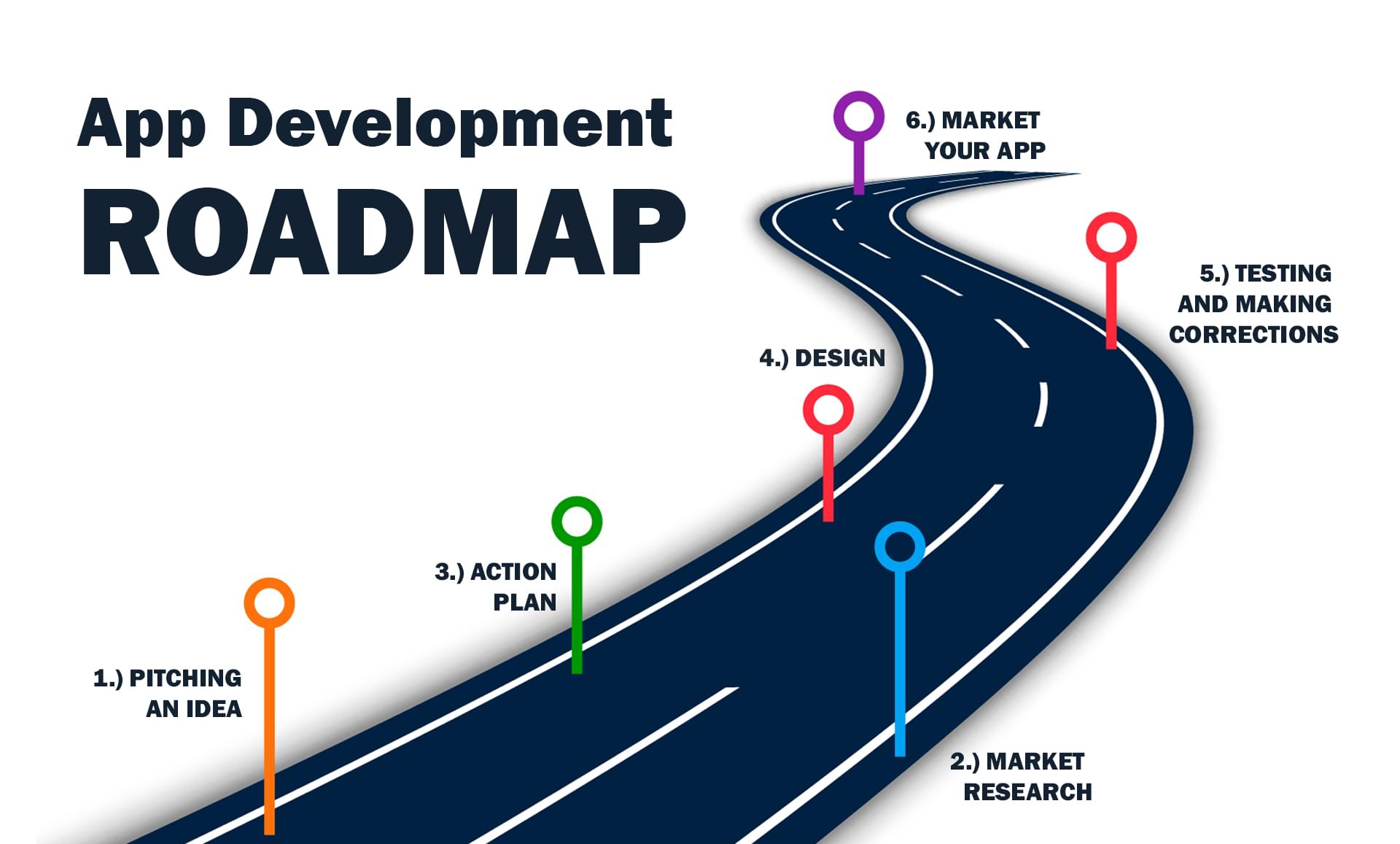
This comprehensive app development roadmap will guide you through the essential stages of becoming an application developer. Whether you want to develop Android applications, iOS applications, cross-platform mobile apps, or full-stack applications, this roadmap will help you understand what to learn and in which order.
1. Understand the Fundamentals of Application Development
Before writing code, understand what application development involves. It is the complete process of planning, designing, developing, testing, launching, and maintaining software applications.
Applications can be developed for different platforms:
- Mobile applications: Apps designed for Android and iOS devices.
- Web applications: Applications accessed through web browsers.
- Desktop applications: Software developed for Windows, macOS, and Linux.
- Progressive Web Apps: Web applications that provide app-like features.
Choose the application category that matches your interests and long-term goals. You can explore other platforms as your experience increases.
2. Learn Programming Fundamentals
Programming is the foundation of application development. Start by understanding how programming languages work and how instructions are used to solve problems.
Important programming concepts include:
- Variables and constants.
- Data types and operators.
- Conditional statements.
- Loops and iteration.
- Functions and reusable code.
- Arrays, lists, and objects.
- Object-oriented programming.
- Error handling and debugging.
- Basic data structures and algorithms.
Choose one programming language initially. JavaScript is useful for web development and React Native. Kotlin is suitable for native Android development. Swift is used for native iOS development, while Dart is used with Flutter.
Do not try to learn every programming language simultaneously. Focus on understanding programming logic and solving practical problems.
3. Understand Development Tools and Environments
Professional developers use specialized tools to write code, manage projects, test applications, and collaborate with other developers.
Become familiar with the following tools:
- Visual Studio Code: A popular code editor for web and cross-platform development.
- Android Studio: The official development environment for Android applications.
- Xcode: Apple’s development environment for iOS applications.
- Git: A version control system for tracking code changes.
- GitHub: A platform for hosting and collaborating on code repositories.
- Command Line: Learn basic terminal commands for managing development environments.
4. Learn UI and UX Design
A good application should not only function correctly but also provide a smooth and enjoyable user experience.
User Interface (UI) focuses on the visual elements of an application, while User Experience (UX) focuses on how users interact with those elements.
Learn these design fundamentals:
- Layout design and visual hierarchy.
- Typography, colors, and spacing.
- Navigation and user interaction.
- Responsive and adaptive layouts.
- Accessibility and usability.
- Forms, buttons, dialogs, and menus.
- Design consistency and reusable components.
Figma is a useful tool for creating wireframes, prototypes, and application designs before development begins.
5. Choose Your Development Path
Once you understand the fundamentals, choose a development path. Different paths use different programming languages and frameworks.
Path A: Android App Development
Android development is suitable for developers who want to build applications specifically for Android smartphones and tablets.
- Learn Kotlin programming.
- Understand Android Studio.
- Learn Android application architecture.
- Explore Jetpack Compose and Android UI development.
- Understand activities, navigation, permissions, and lifecycle management.
- Learn local storage and API integration.
Path B: iOS App Development
iOS development focuses on creating applications for Apple devices.
- Learn Swift programming.
- Understand Xcode.
- Learn SwiftUI and interface development.
- Understand navigation and application lifecycle.
- Learn networking, data persistence, and testing.
- Explore App Store distribution.
Path C: Cross-Platform App Development
Cross-platform development allows you to create applications for multiple operating systems using a shared codebase.
- Flutter: Learn Dart, widgets, layouts, navigation, state management, and platform integration.
- React Native: Learn JavaScript or TypeScript, React fundamentals, components, hooks, navigation, and native integrations.
Path D: Web Application Development
Web development is a good choice if you want to build browser-based applications, dashboards, portals, and online services.
- HTML for page structure.
- CSS for styling and responsive layouts.
- JavaScript for application logic.
- TypeScript for stronger type safety.
- React, Vue, or Angular for frontend development.
6. Learn Backend Development
Many applications need a backend to process requests, manage accounts, store information, and communicate with databases.
Backend development involves writing server-side code that handles application functionality.
Popular backend technologies include:
- PHP and Laravel.
- Node.js and Express.js.
- Python and Django.
- Java and Spring Boot.
- .NET and ASP.NET Core.
Learn important backend concepts such as request handling, routing, authentication, authorization, validation, sessions, error handling, and server-side security.
7. Understand Databases and Data Management
Most applications need databases to store and manage information. For example, an e-commerce application stores products, customers, orders, payments, and inventory records.
Learn the difference between relational and NoSQL databases.
Relational Databases
- MySQL.
- PostgreSQL.
- SQLite.
NoSQL Databases
- MongoDB.
- Firebase Firestore.
Important database concepts include tables, records, relationships, primary keys, foreign keys, indexes, SQL queries, transactions, backups, and database optimization.
8. Learn APIs and Application Communication
APIs allow different applications and systems to communicate with one another. A mobile application may use an API to retrieve user information, display products, or submit orders to a backend server.
Important concepts to learn include:
- HTTP and HTTPS.
- REST API architecture.
- GET, POST, PUT, PATCH, and DELETE methods.
- JSON data formats.
- API authentication and authorization.
- Request headers and response codes.
- API error handling.
- API documentation and testing.
Tools such as Postman can help you test APIs and understand how requests and responses work.
9. Learn Authentication and Application Security
Security should be considered from the beginning of application development. Applications frequently process personal information, account credentials, and other sensitive data.
Important security topics include:
- Secure user registration and login.
- Password hashing and secure credential handling.
- Session management and token-based authentication.
- Role-based access control.
- Input validation and output encoding.
- Protection against SQL injection and cross-site scripting.
- HTTPS and secure communication.
- Secure storage of tokens and sensitive information.
- Permission management and privacy protection.
Never store plain-text passwords or expose private API keys and database credentials in application source code.
10. Understand State Management and Application Architecture
As an application becomes more complex, managing its data and behavior becomes increasingly important. State management helps applications keep their interfaces synchronized with changing data.
Depending on your development platform, explore:
- React state, Context API, and suitable state management libraries.
- Flutter Provider, Riverpod, or Bloc.
- Android architecture components and ViewModel.
- iOS state management and application architecture patterns.
- MVC, MVVM, and clean architecture concepts.
Focus on separating business logic, user interface, and data access to make applications easier to maintain and test.
11. Learn Testing and Debugging
Testing ensures that your application works as expected and helps identify problems before users experience them.
Explore different types of testing:
- Unit Testing: Tests individual functions and components.
- Integration Testing: Checks whether different parts of an application work together.
- UI Testing: Tests user interface behavior and interactions.
- Performance Testing: Evaluates application speed and resource usage.
- Security Testing: Identifies potential security weaknesses.
Learn how to read error messages, use debugging tools, inspect network requests, and reproduce issues consistently.
12. Learn Deployment and Application Publishing
Development does not end when an application runs successfully on your computer. You also need to understand how to make it available to users.
Mobile Application Deployment
- Prepare production builds.
- Configure application identifiers and signing.
- Prepare icons, screenshots, and store descriptions.
- Understand Google Play Console.
- Understand Apple App Store Connect.
- Follow platform policies and review requirements.
Web Application Deployment
- Learn domain names and DNS configuration.
- Understand web hosting and cloud servers.
- Configure web servers and HTTPS certificates.
- Learn deployment workflows and environment variables.
- Understand production database configuration.
- Set up backups, logging, and monitoring.
13. Learn Git, Collaboration, and Professional Workflow
Version control is essential for managing code changes and working with other developers.
Learn Git commands such as:
- git init
- git add
- git commit
- git status
- git branch
- git merge
- git pull
- git push
Also understand GitHub repositories, branches, pull requests, code reviews, and issue tracking. These skills will help you participate in professional development teams.
14. Build Real-World Projects
Practical experience is one of the most important parts of becoming a capable developer. Instead of only following tutorials, create complete applications that solve real problems.
Beginner Projects
- Calculator application.
- To-do list application.
- Notes application.
- Simple expense tracker.
Intermediate Projects
- Weather application using a public API.
- Personal finance management application.
- Blog application with user authentication.
- Online shopping application.
- Task management application with a backend.
Advanced Projects
- Social networking application.
- Real-time messaging application.
- Online booking and reservation platform.
- Multi-vendor e-commerce platform.
- Business management and analytics application.
For each project, focus on planning, design, development, security, testing, deployment, and documentation.
15. Create a Professional Developer Portfolio
A portfolio demonstrates your skills and helps potential employers or clients understand what you can build.
Your portfolio should include:
- A short professional introduction.
- Your programming languages and technical skills.
- Three to five completed projects.
- Project screenshots and demonstrations.
- Links to GitHub repositories where appropriate.
- Descriptions of the technologies used.
- Your contact information or professional profile.
Focus on showing completed, working applications rather than listing technologies you have only studied.
16. Explore Advanced Development Skills
Once you are comfortable building complete applications, explore advanced topics that can improve your technical abilities.
- Cloud computing and cloud infrastructure.
- Continuous Integration and Continuous Deployment (CI/CD).
- Automated testing and build pipelines.
- Application performance optimization.
- Scalable system architecture.
- Real-time communication using WebSockets.
- Push notifications.
- Offline-first application development.
- Analytics and crash reporting.
- Artificial intelligence integration.
These skills are not necessary for your first project, but they become useful when developing larger and more sophisticated applications.
A Practical 12-Month App Development Roadmap
The following timeline provides a structured learning plan. You can adjust the duration depending on your experience, learning speed, and available study hours.
Months 1–2: Programming Fundamentals
- Choose one programming language.
- Learn variables, functions, conditions, and loops.
- Practice object-oriented programming.
- Build small programming exercises.
Month 3: Development Tools and UI/UX
- Install your development environment.
- Learn Git and GitHub.
- Understand UI and UX principles.
- Create basic application designs.
Months 4–5: Frontend and Framework Development
- Learn your chosen framework.
- Build application screens and reusable components.
- Understand navigation and state management.
- Develop small interactive applications.
Months 6–7: Backend and Databases
- Learn server-side programming.
- Understand database design and SQL.
- Create REST APIs.
- Connect your application to a backend.
- Implement authentication and authorization.
Month 8: Security and Testing
- Learn application security fundamentals.
- Practice debugging and error handling.
- Write basic automated tests.
- Test applications on real devices where possible.
Months 9–10: Complete Real-World Projects
- Choose a practical application idea.
- Design the user interface.
- Build frontend and backend functionality.
- Integrate APIs and databases.
- Test and improve the application.
Month 11: Deployment and Portfolio
- Prepare production builds.
- Deploy your application.
- Publish source code where appropriate.
- Prepare project documentation.
Month 12: Career Preparation
- Improve your technical portfolio.
- Practice coding and technical interviews.
- Explore internships and entry-level opportunities.
- Start freelancing or contributing to open-source projects.
- Continue learning advanced technologies.
Common Mistakes to Avoid During App Development
Many beginners slow down their progress by making avoidable mistakes. Keep the following points in mind:
- Learning too many technologies simultaneously.
- Skipping programming fundamentals.
- Watching tutorials without building projects.
- Ignoring code quality and application architecture.
- Neglecting security and user privacy.
- Not testing applications on different devices.
- Giving up when encountering difficult problems.
- Focusing only on certificates instead of practical skills.
How to Stay Consistent While Learning
Consistency is more important than studying for long hours occasionally. A practical learning routine can help you make steady progress.
- Spend time learning concepts every day.
- Practice writing code instead of only reading tutorials.
- Set small weekly development goals.
- Maintain a record of your projects and progress.
- Read official documentation.
- Learn from errors and debugging experiences.
- Build projects that solve problems you understand.
Conclusion
Becoming a skilled application developer requires more than learning a programming language. You need to understand design, development tools, databases, APIs, security, testing, deployment, and real-world software development practices.
The best approach is to follow a structured roadmap, choose one development path, and gradually expand your knowledge through practical projects.
You do not need to master every technology before building your first application. Start with the fundamentals, create something useful, learn from your mistakes, and improve with every project.
Whether your goal is to become an Android developer, iOS developer, cross-platform developer, or full-stack application developer, consistent practice will help you move closer to your goal.
Start learning, keep building, and turn your ideas into reality with FriendVilla.